
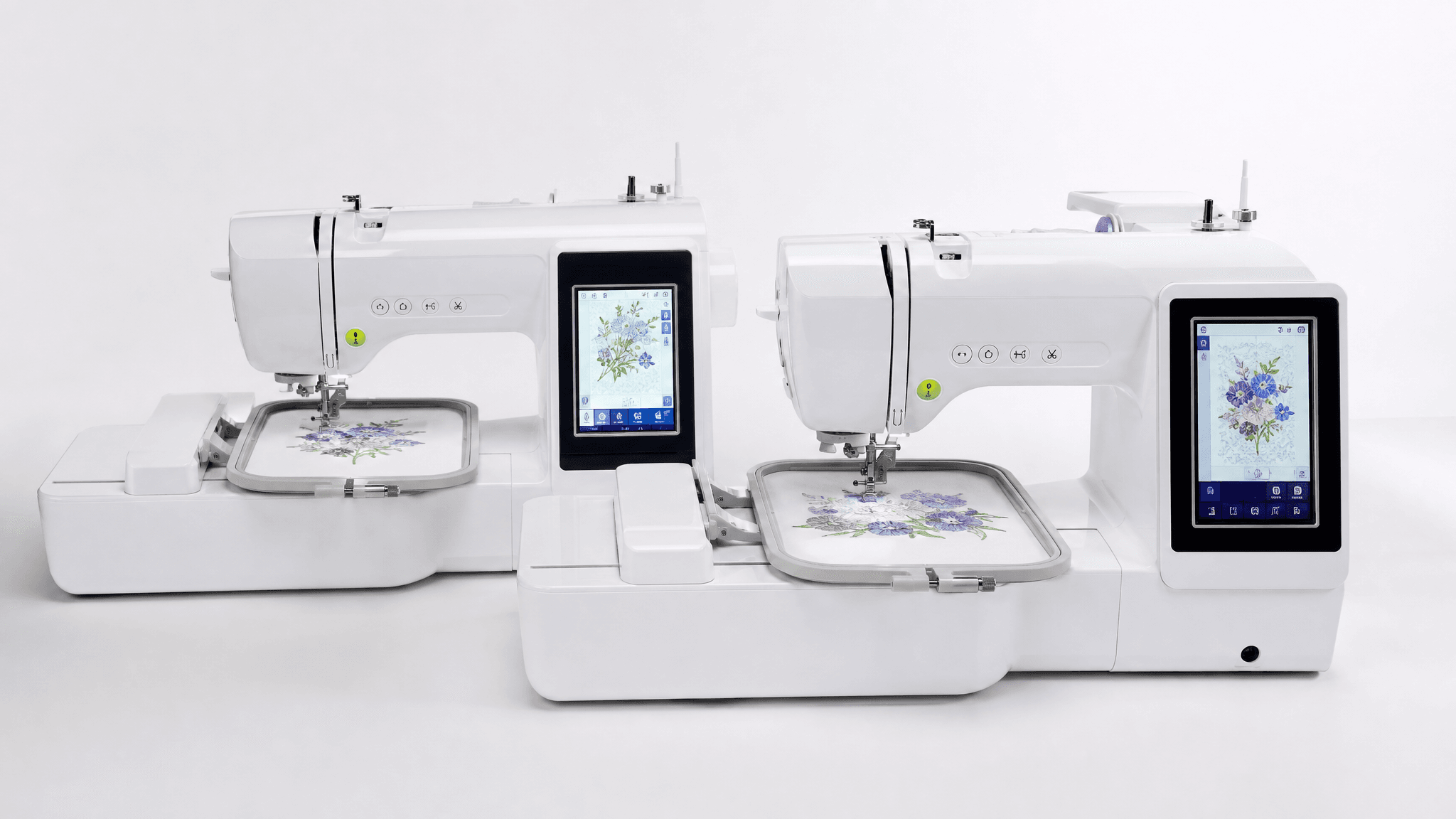
The Brother PE535 and PE545 are nearly the same embroidery machine. Same 4×4 hoop, same 135 built-in designs, same 3.7-inch color touchscreen, same auto needle threader, same compact 12-pound frame. The only hardware difference: the PE545 has built-in WiFi. The PE535 does not.
But after analyzing 100 verified PE535 reviews and 74 verified PE545 reviews, the “same machine with WiFi” story gets more complicated. The two models have meaningfully different owner satisfaction profiles. Here is the honest breakdown.
Side-by-Side Comparison
| Feature | Brother PE535 | Brother PE545 |
|---|---|---|
| Embroidery Area | 4″ × 4″ | 4″ × 4″ |
| Built-in Designs | 135 | 135 |
| Built-in Fonts | 10 | 10 |
| Display | 3.7″ color LCD touchscreen | 3.7″ color LCD touchscreen |
| WiFi | No | Yes — built-in WiFi (802.11 b/g/n) |
| Design Transfer | USB only | Artspira app (wireless) + USB |
| Connectivity | USB port | USB port + Wireless LAN |
| Auto Needle Threader | Yes | Yes |
| Thread Cutter | Automatic | Automatic |
| Weight | ~12 lbs | ~12 lbs |
| Owner Rating (Amazon) | 4.5 / 5 (100 reviews) | 3.8 / 5 (74 reviews) |
| 4+5 Star Reviews | 88% | 68% |
| 1-Star Rate | 3% | 20% |
The PE535 has a 4.5-star average with only 3% 1-star reviews. The PE545 has a 3.8-star average with 20% 1-star reviews — almost entirely quality control complaints about defective units out of the box. The machines are mechanically the same. The difference appears to be specific to the PE545 production run or seller mix. Read both individual reviews at our PE535 review and PE545 review for the full data.
The WiFi Difference: What You Actually Get
The PE545 connects to your home WiFi and uses Brother’s Artspira app for wireless design transfer. Instead of downloading a design to your computer, copying it to a USB stick, walking the USB to your machine, and importing it — you browse or upload a design in the Artspira app and tap send. The machine receives it wirelessly.
Is it worth the upgrade? It depends on your workflow:
- Worth it if: You buy or download designs frequently, want to send designs from your phone, or find USB stick management annoying. Several PE545 owners specifically chose this model for the WiFi and say it delivers. One quilter bought it specifically for “the LAN capability.”
- Not worth it if: You mostly use built-in designs, do not mind the USB step, or want to avoid the Artspira subscription for premium features. Several owners were caught off guard by the monthly fee for full app access.
The Artspira App: What Owners Actually Say
The free tier of Artspira lets you transfer designs wirelessly and access some built-in patterns. Full access — including the premium design library and advanced customization features — requires a monthly subscription. Several PE545 reviewers were frustrated to discover the paywall after buying the machine specifically for its WiFi feature.
Additionally, updating the PE545’s firmware to work with the latest version of Artspira requires a PC, an empty USB drive, and holding the needle button while powering on — a process that multiple owners described as unnecessarily frustrating and poorly documented.
Quality Control: The Hidden Difference
The PE535 and PE545 are mechanically identical. Same components, same factory, same design. Yet the PE545 has a significantly higher defect rate in owner reviews. 20% of PE545 reviews are 1-star, mostly describing dead power switches, frozen needle mechanisms, thread breakage out of the box, and machines that simply would not stitch.
Possible explanations: the PE545 may sell through different third-party sellers with looser quality checks, or a specific production run had issues. Regardless of the cause, the data is clear — you are more likely to get a defective PE545 than a defective PE535. Both are returnable through Amazon, and most people who exchange a defective unit get one that works.
The Verdict
Get the PE535 if
- You want the lowest price for a quality embroidery machine
- USB transfer does not bother you
- You want fewer quality control risks (3% vs 20% 1-star)
- You mostly use built-in designs
Get the PE545 if
- Wireless design transfer genuinely matters to your workflow
- You are buying from a retailer with easy returns (in case of defects)
- You are comfortable with the Artspira app and its subscription model
- You want to send designs from your phone or tablet
Bottom line: These are the same embroidery machine. The WiFi is the only difference — and it is genuinely useful if wireless transfer fits your workflow. But the quality control gap is real, and the PE535’s 4.5-star average with almost no defects makes it the safer choice if WiFi is not a must-have. For full owner data on both machines, read our Brother PE535 review and Brother PE545 review.